Modal Fields Settings
The Modal Fields tab lets you decide exactly which fields appear in the task creation and edit modals. Open Settings → TaskNotes → Modal Fields to manage the configuration.
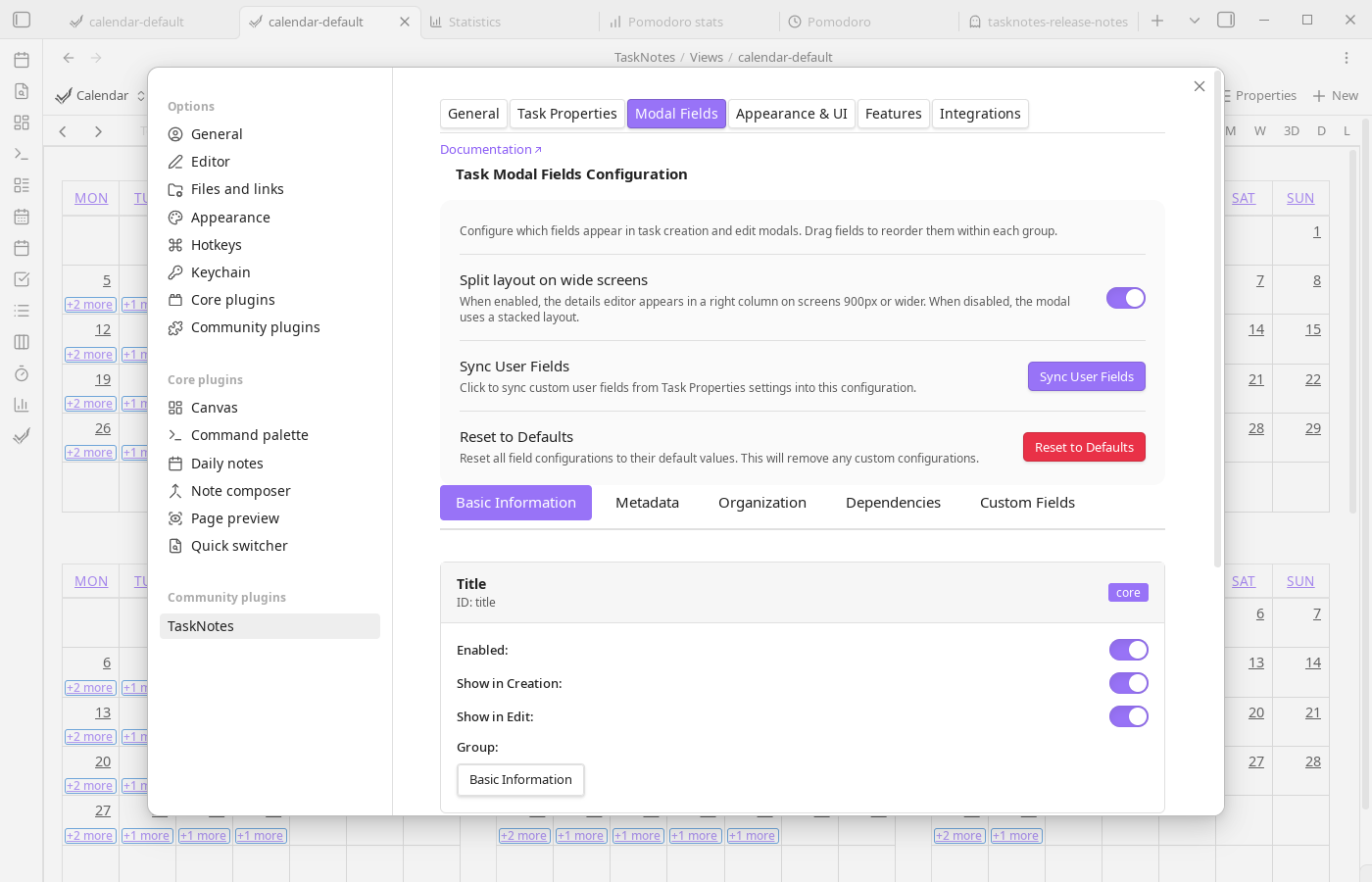
Field Groups
Fields are organized into draggable groups:
- Basic Information – Title and Details
- Metadata – Contexts, Tags, Time Estimate
- Organization – Projects and Subtasks
- Dependencies – Blocked By and Blocking
- Custom Fields – Fields you register as Custom Properties in the Task Properties tab. They sync here automatically so you can control their visibility and ordering in the modal
Each group can be collapsed, and their order in the manager matches the order shown in the modal.
Managing Fields
Every field entry includes:
- Visibility toggles for creation and edit modals
- Enable/disable checkbox
- Drag handle for ordering within its group
- Required toggle (where applicable, e.g., Title)
Changes are saved automatically. Use this to hide fields you never touch, ensure required metadata appears up front, or reorder fields to match your workflow.
Syncing Custom Properties
Custom Properties registered in the Task Properties tab feed into this page as modal fields. The Sync Custom Properties button pulls the latest definitions into the Custom Fields group. New properties are appended, renamed properties update in place, and removed properties drop out of the configuration. Re-run the sync whenever you add or rename custom properties in Task Properties.
This is the second half of the custom property workflow: Task Properties defines what a field is (name, type, default value, NLP trigger, autocomplete filters), and Modal Fields controls how it appears in the modal (visibility, ordering, required status). See Custom Properties for the full picture of where registered properties appear beyond just the modal.
Resetting to Defaults
Select Reset to Defaults to restore the stock configuration (all built-in fields enabled plus empty custom slots). The reset keeps your existing custom property definitions; it only reverts modal layout and visibility.